Product updates
What's new in Omni-Play
We ship improvements every week. These are the updates that help you run your venue better.
November 2026
-
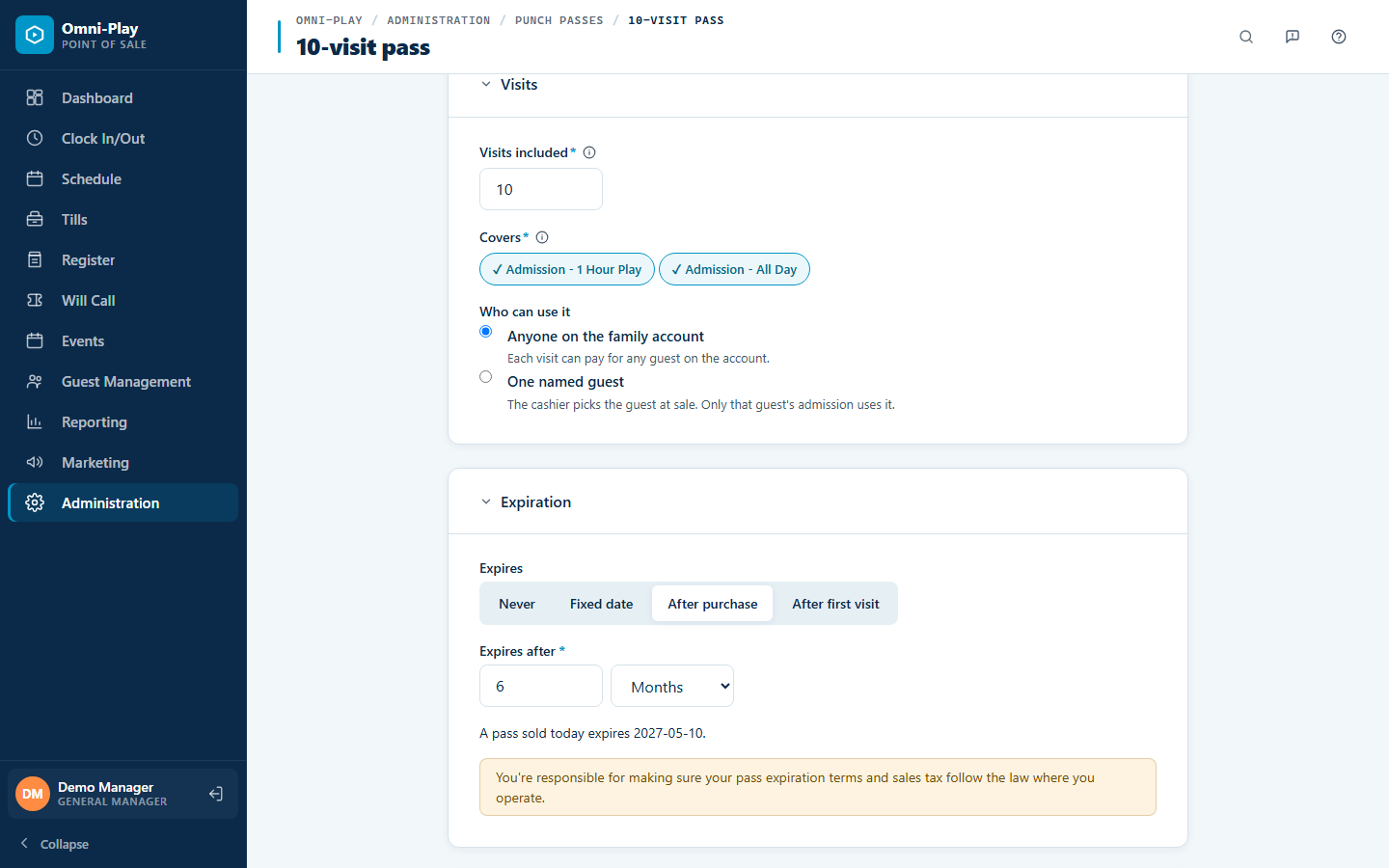
Punch passes for prepaid visits
Sell a bundle of visits, such as 10 visits for one price, and the register uses one each time the family checks in. You choose the price, the admissions it covers, the days it works, blackout dates, and when it expires. Staff can add or remove visits, refund unused visits, and see every visit on the guest's Passes tab.
-
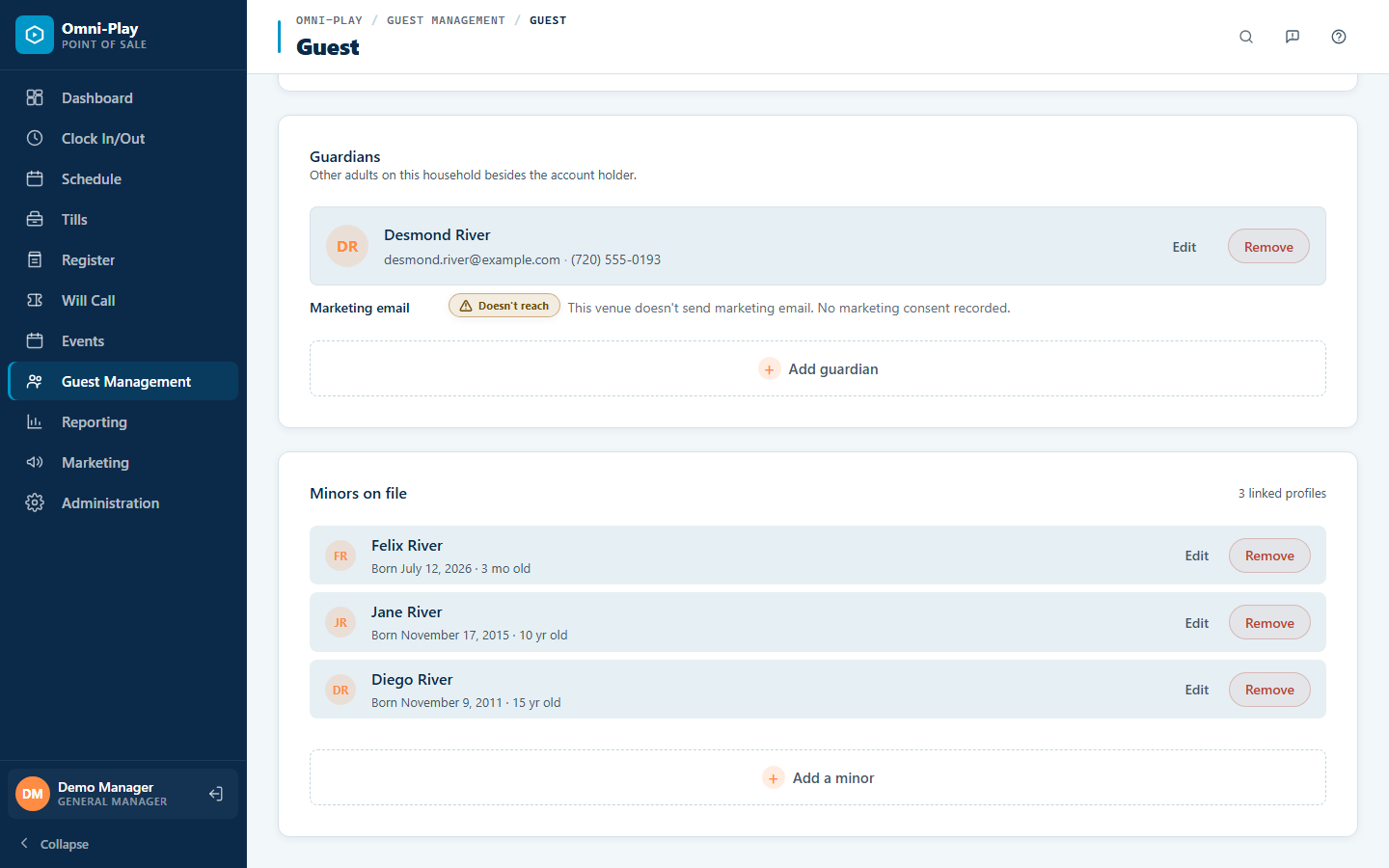
Any number of guardians on an account
Add every parent, grandparent, or caregiver to a family account instead of one second guardian. Staff add guardians at the register, families manage them from their online account, and any guardian can join a membership or receive the campaigns you send to all guardians.
-
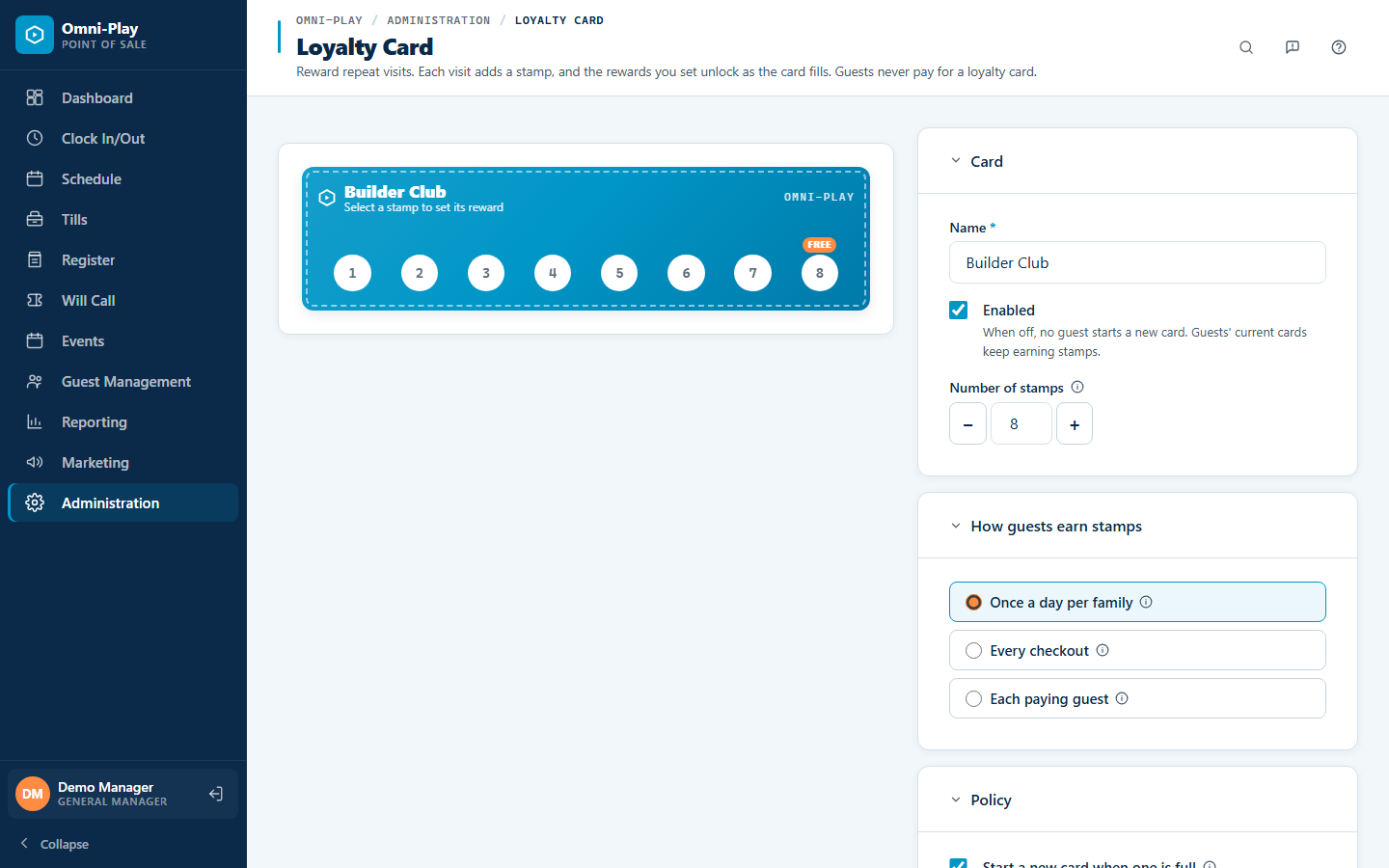
Punch Cards are now Loyalty Cards
Your rewards program is now called Loyalty Cards on every screen, receipt, report, and help article, and guests collect stamps instead of punches. The new name keeps it separate from punch passes, which are visits paid for up front. Earn rules read in plain words, such as once a day per family or each paying guest, and your existing cards and rewards keep working as before.
-
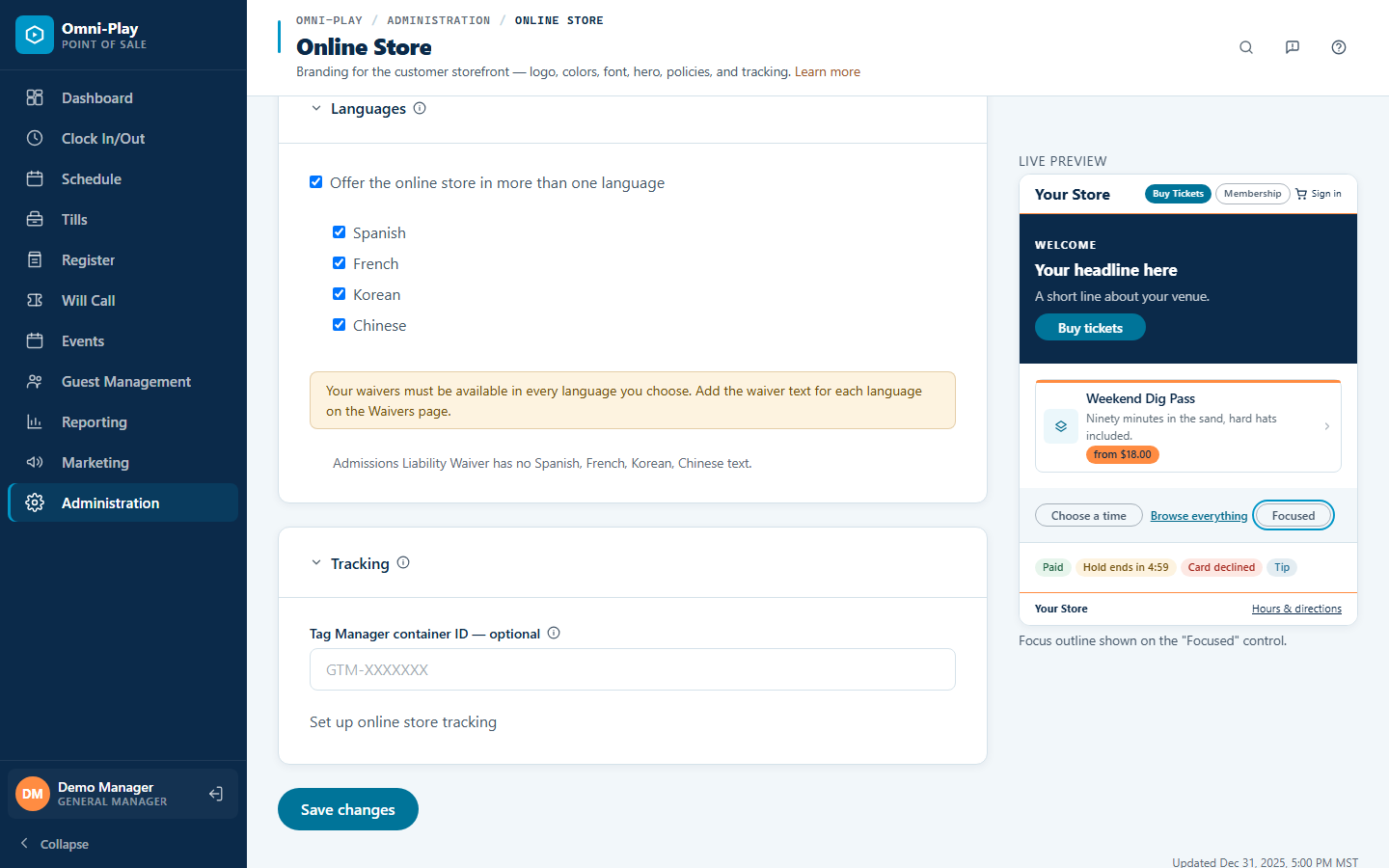
Your online shop in five languages
Shoppers can switch your online shop to English, Spanish, French, Korean, or Chinese from the header. Waivers appear and are signed in the shopper's language, so families understand exactly what they agree to.
-
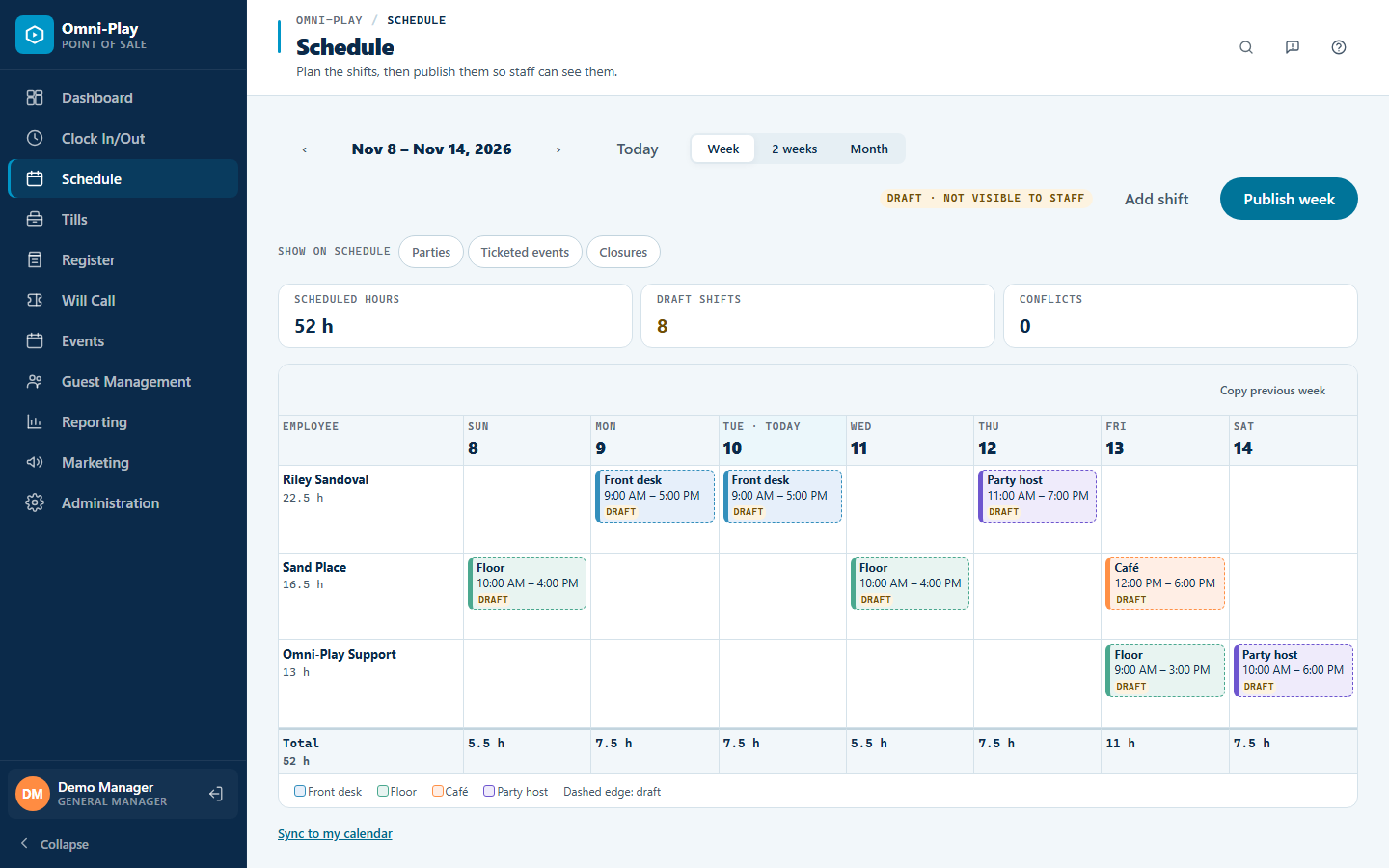
Staff schedules and timecards
Plan shifts on a weekly calendar, copy last week's schedule, and publish it to your team, with double bookings flagged before you publish. Booked parties show on the same calendar, and staff can add their shifts to their own calendar app. A day view shows everyone's timecards on one screen.
-
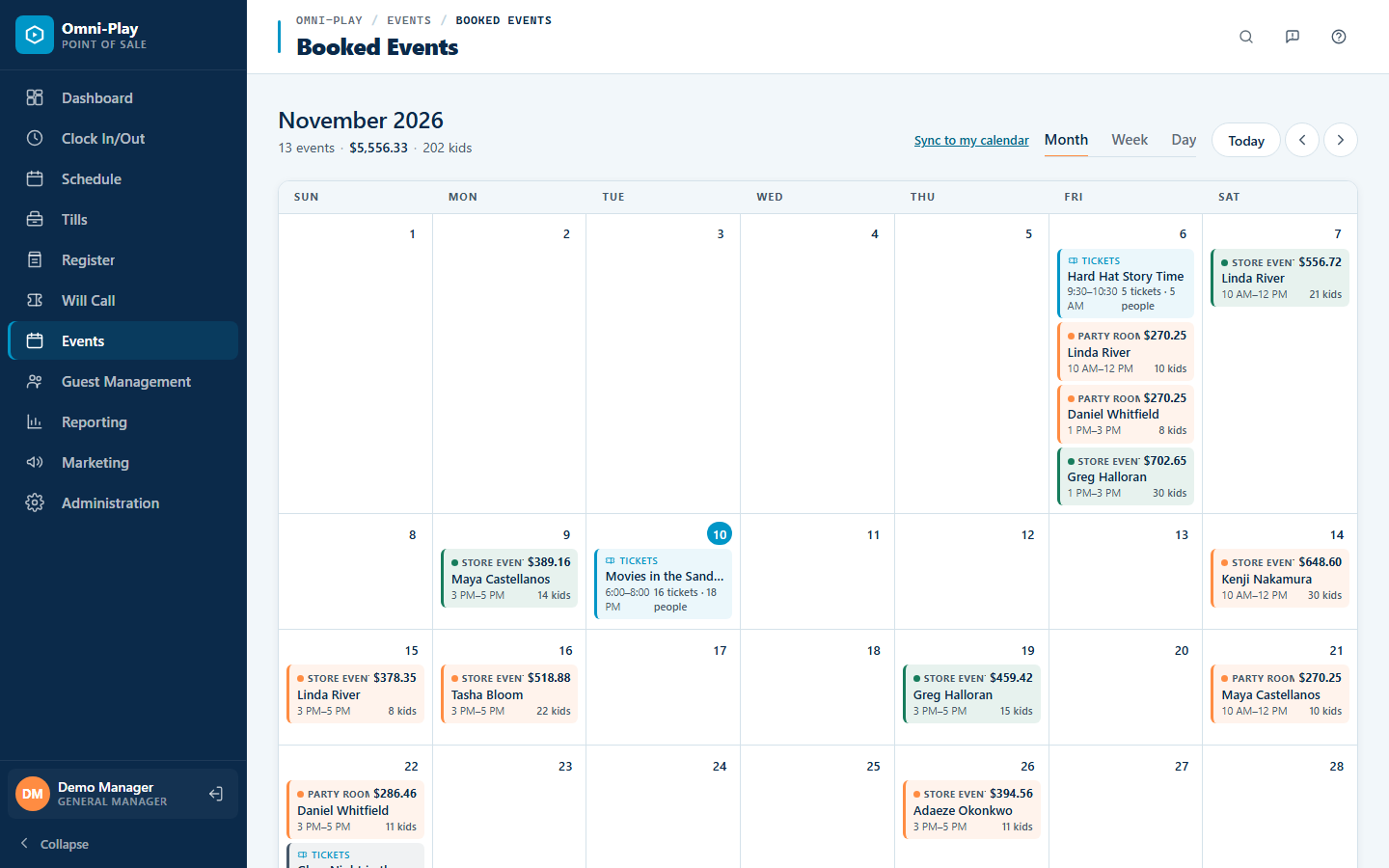
Change an event's ticket limit after it starts
Raise or lower the ticket limit on an event that is already selling, and keep selling until the event ends. Party calendars also show the parent's full name, so staff find bookings faster.
-
A guided setup checklist
New venues get a Start Here checklist that walks through each setup step in order. You see what's done and what's left at a glance.
-
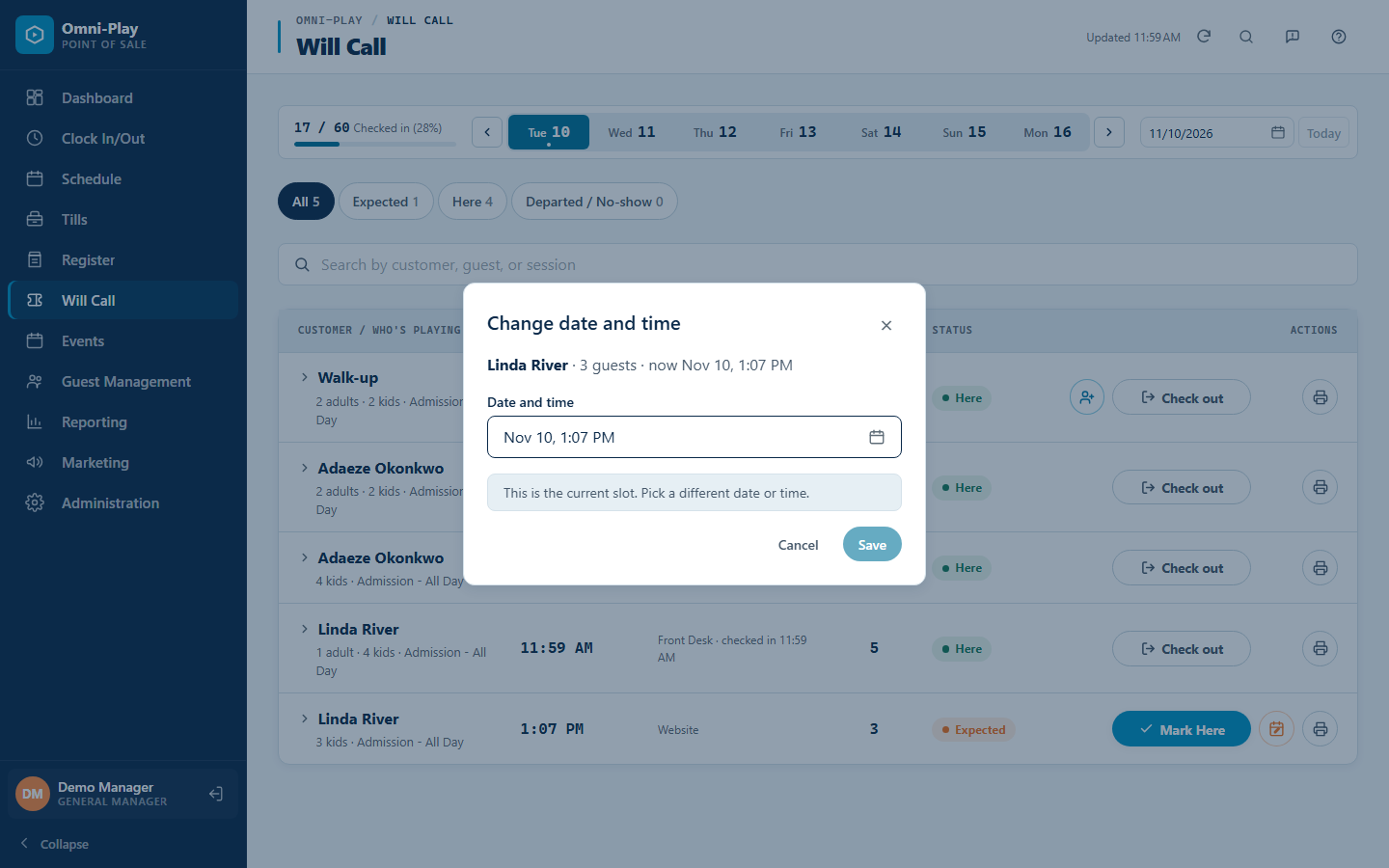
Reschedule a booking from Will Call
Change a booking's date and time from one dialog at Will Call. The action buttons stay in the same place on every row, so staff click the right one.
-
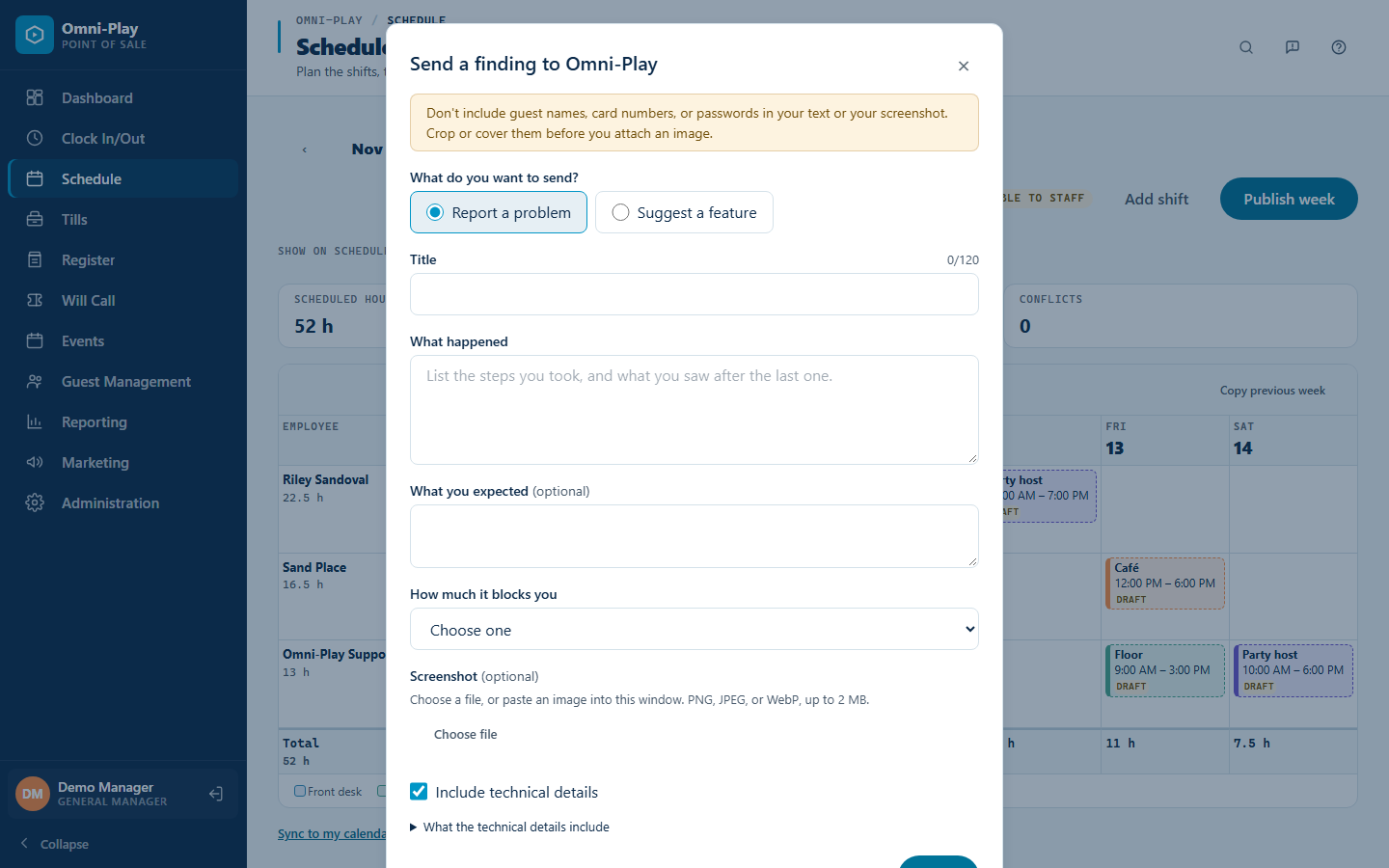
Report a problem or suggest a feature from any screen
A feedback button in the header sends a problem report or a feature idea straight to the Omni-Play team, with an optional screenshot. You choose what details to include.
-
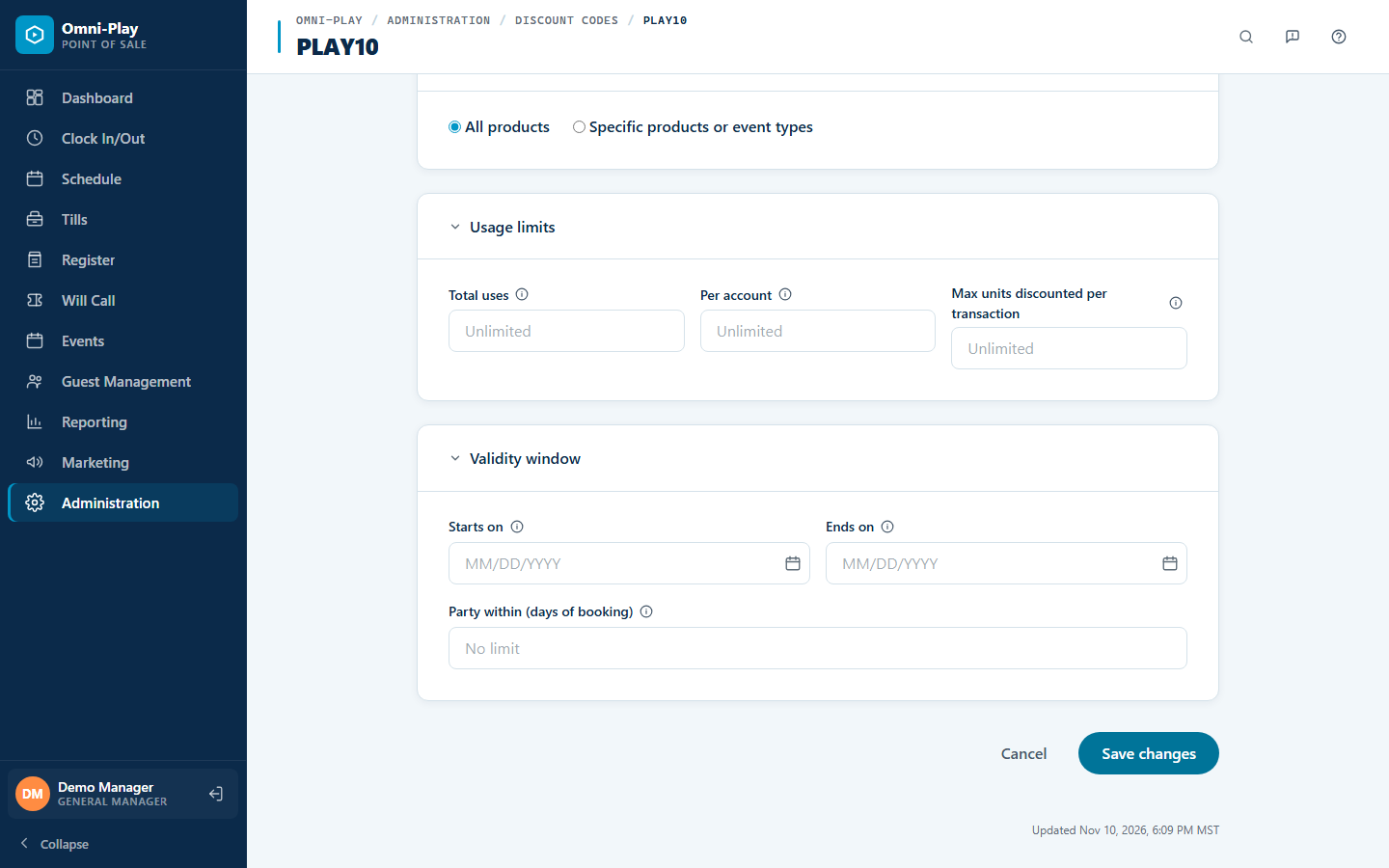
Promo codes for last-minute parties
Limit a promo code to parties held within a set number of days of booking, so you can fill open dates without discounting your busy weekends. Staff see a warning when a reschedule would move a party outside the code's window.
-
See which emails bring in sales
Online shop orders are now credited to the marketing email that brought the shopper in. Your campaign report shows orders, revenue, and revenue per email delivered, so you can see what pays off and send more of it.
-
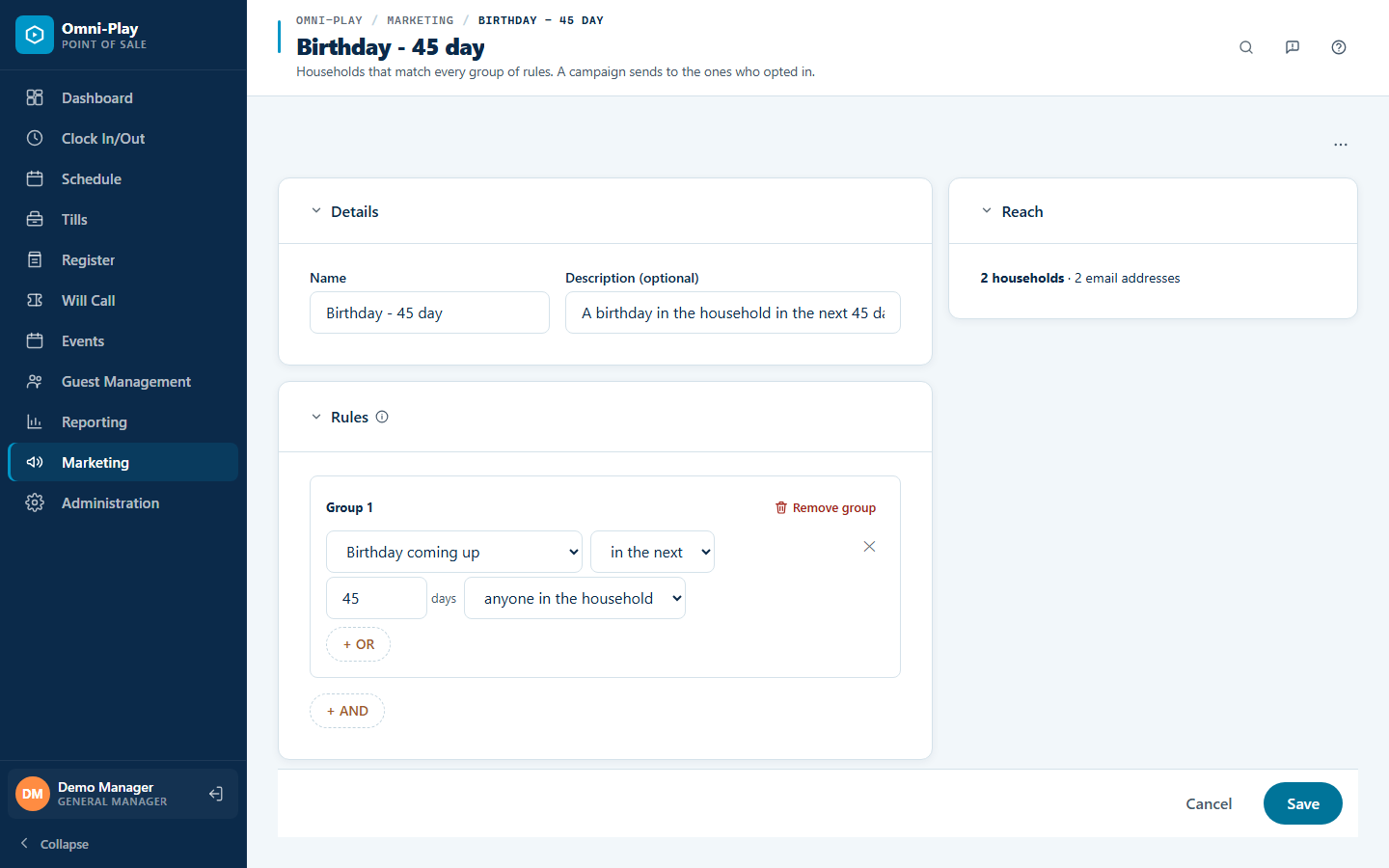
Smarter email audiences
Target families by the age a child is turning, by whether they attended a party as a guest, or by whether they already have a party booked. Start from a library of email templates, and drag campaigns, audiences, and templates into the order you want.
-
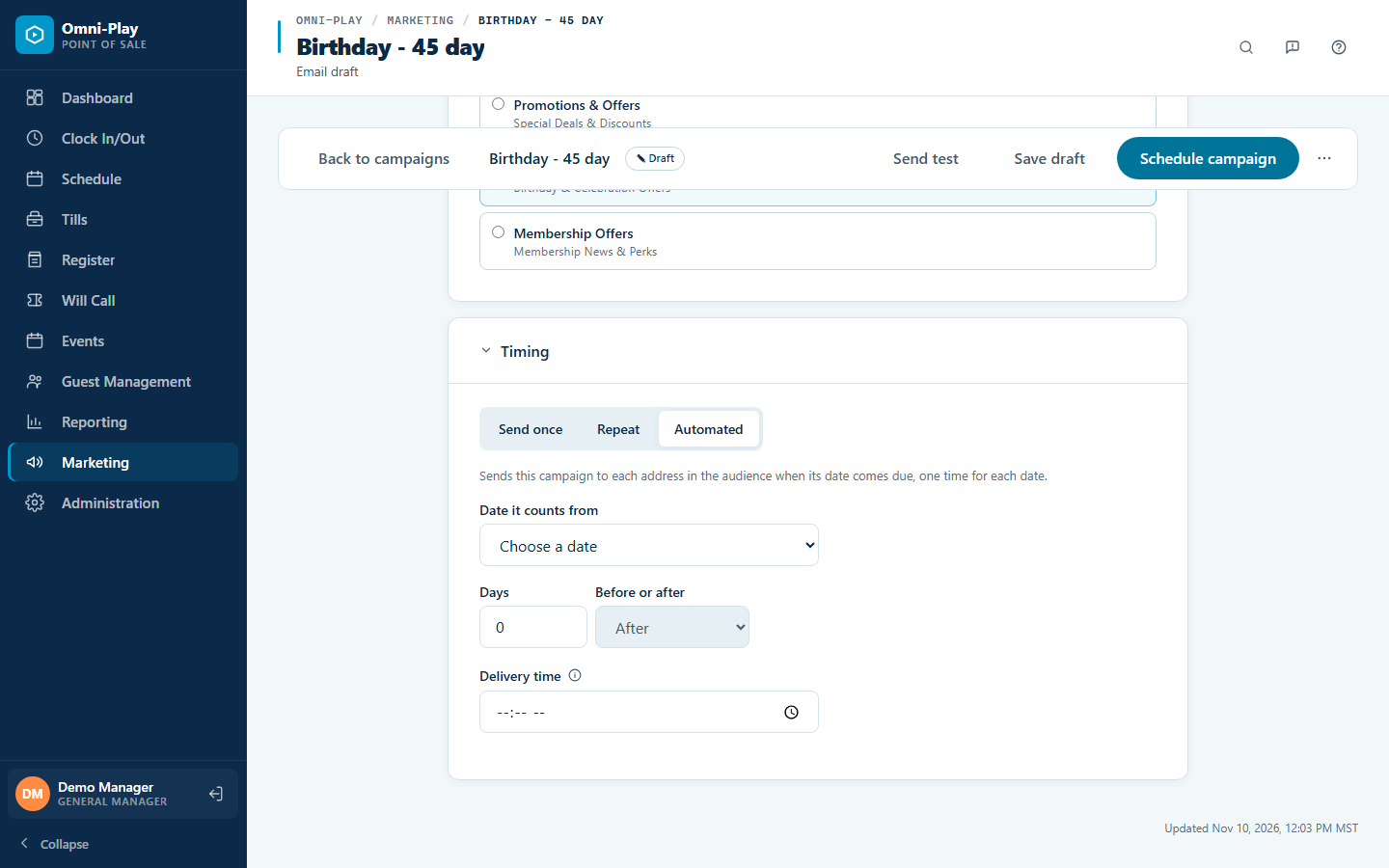
Email campaigns that send themselves
Save an audience once, then send to it on a schedule. Repeat a campaign every week or month, or send it automatically around a visit, a waiver, a party, or a child's birthday. Choose whether each campaign reaches the account holder or every guardian, so the right people hear from you without manual work.
-
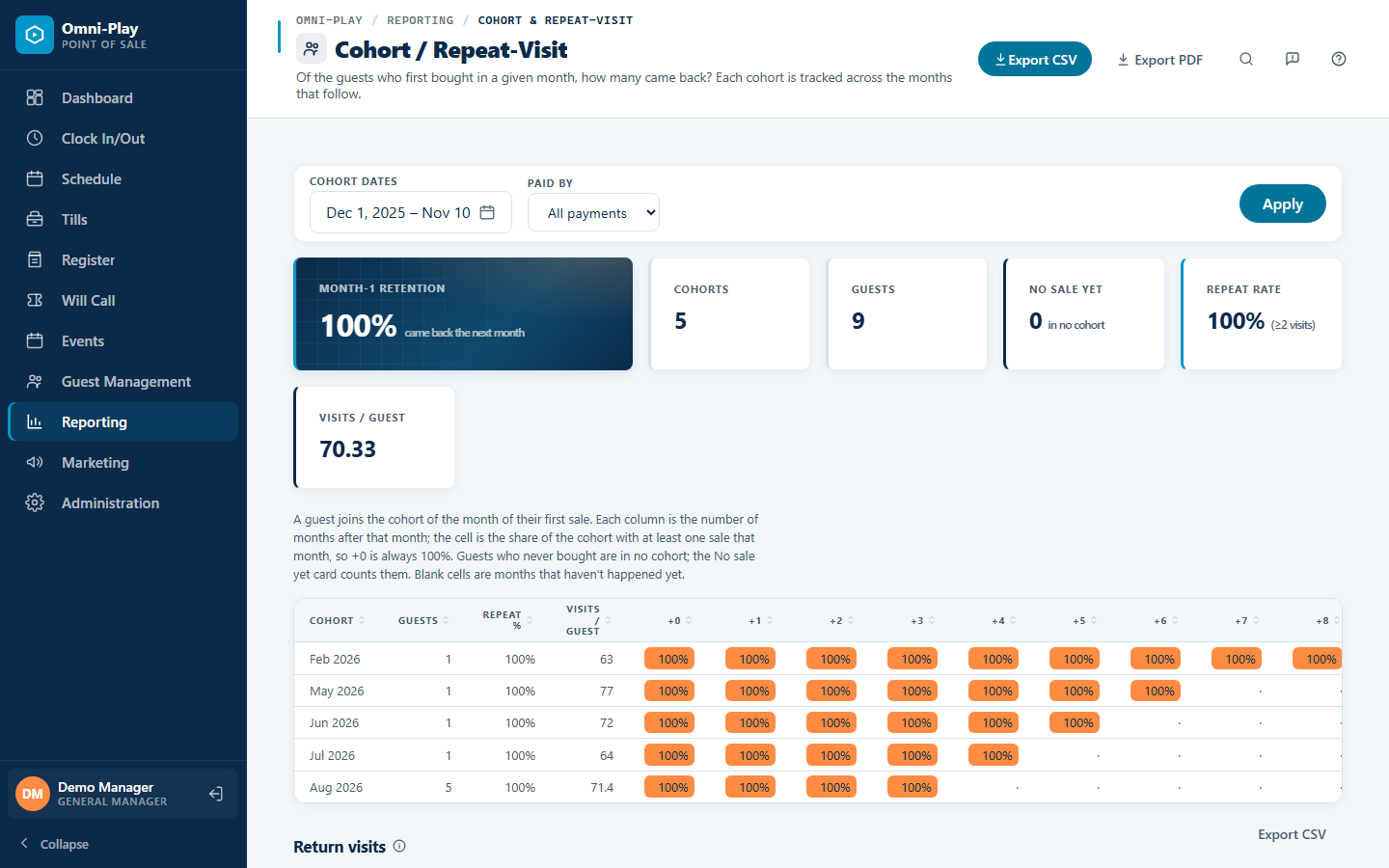
Return visits, party details, and expected cash
The Cohort report shows how often guests come back, and the Parties report shows each booking's event name and whether it was booked in store or online. Pick report dates from presets such as the last 7 days, and see the expected cash in the drawer when you close a till.
-
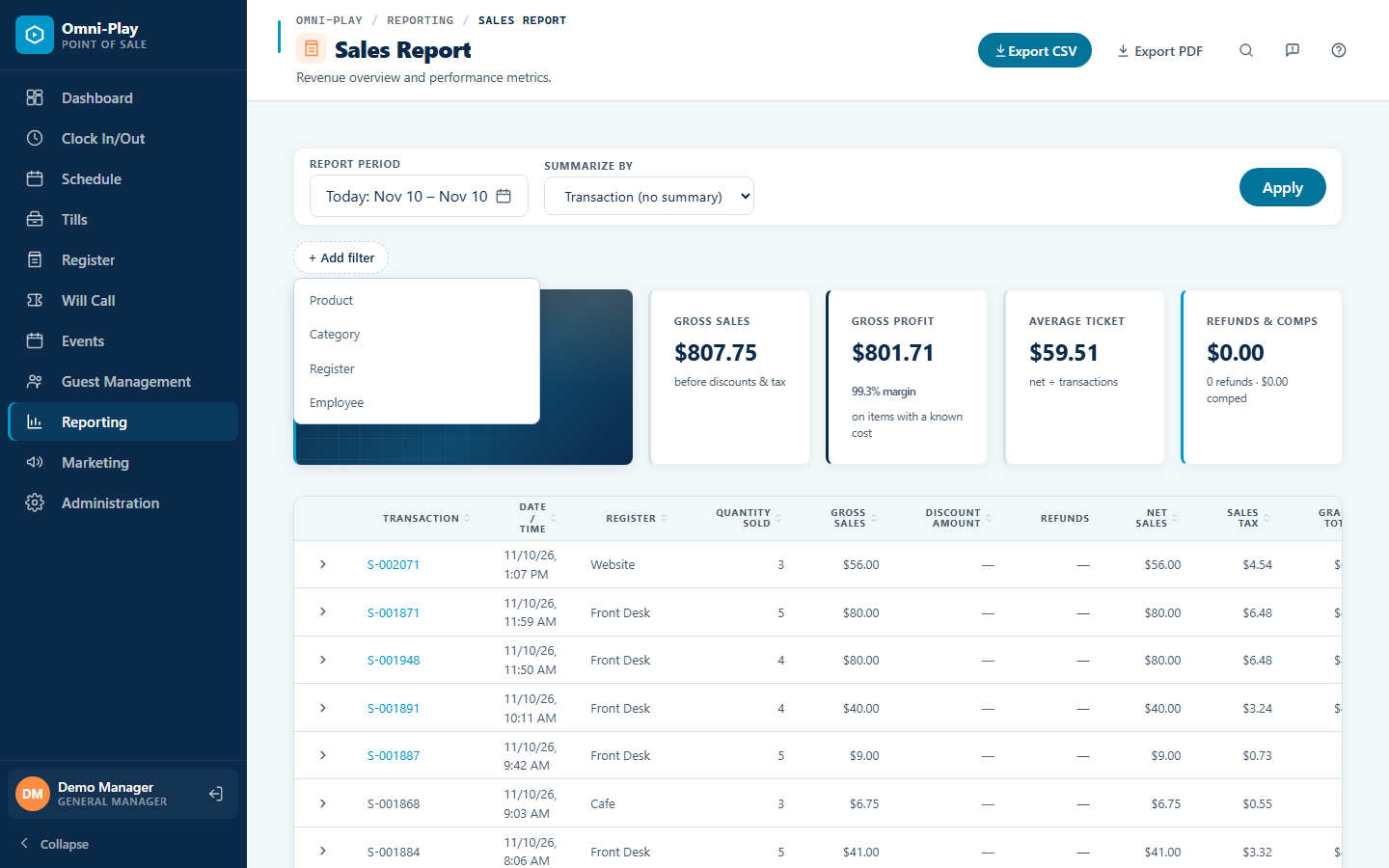
Reports you can filter and export
Filter the sales report by product, category, register, or employee. Export any report as a formatted PDF, pick a range on a calendar, and read your numbers comfortably on a phone.
-
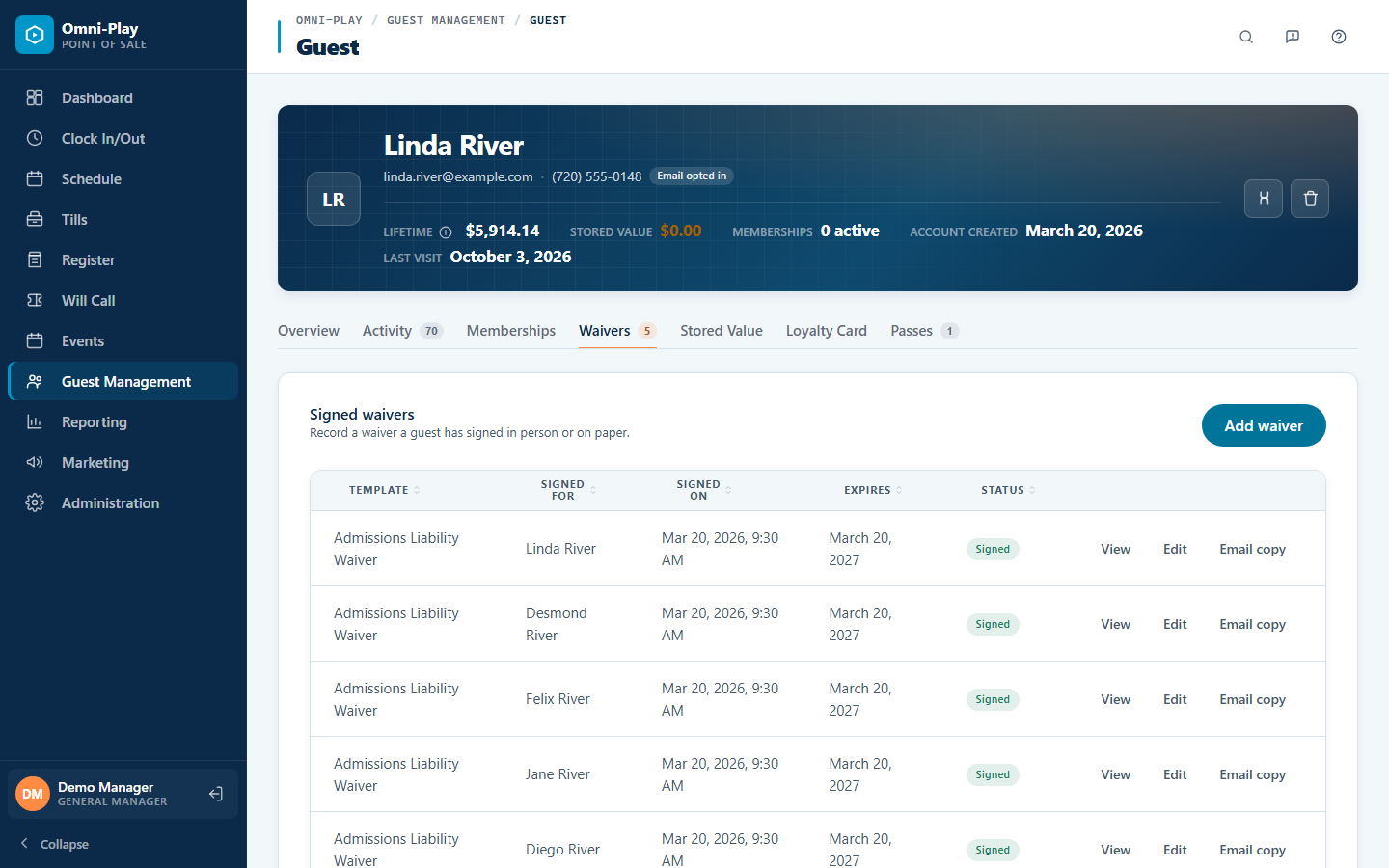
Waivers that remember your families
Returning families are recognized from the signer's email, so they don't start from scratch. Customers can sign waivers and manage guardians and children from their own account, and staff can add booking guests from recent waivers.


October 2026
-
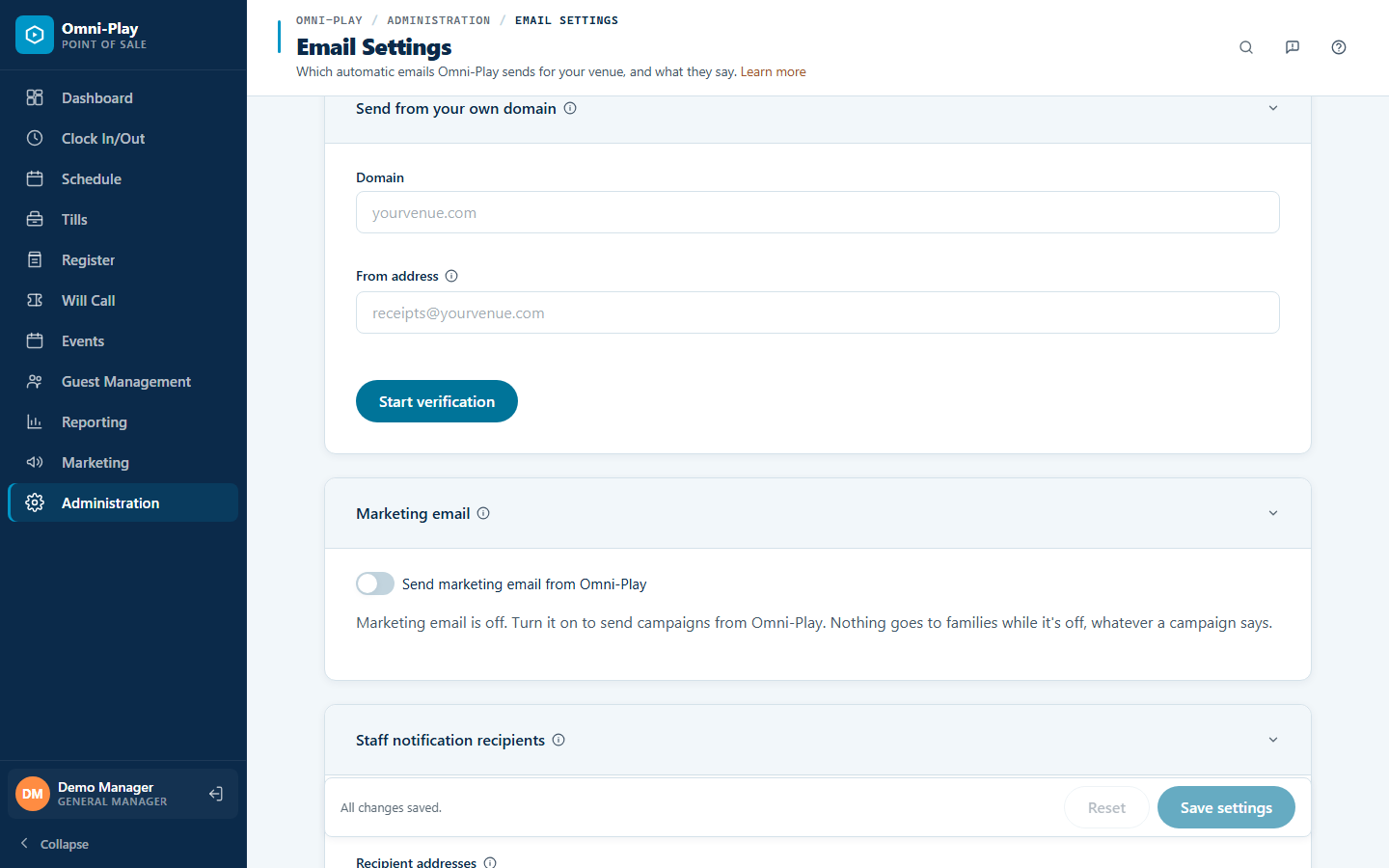
Send guest email from your own domain
Receipts, waivers, and booking emails can go out from your own address, such as receipts@yourvenue.com. Add the DNS records the screen shows, and Omni-Play starts sending from your domain once it's verified, so guests see your name instead of ours.
-
Pages that load faster
Photos shrink automatically when you upload them, and long reports, guest lists, and event calendars load one page at a time. Your online shop opens quicker, and staff spend less time waiting.
-
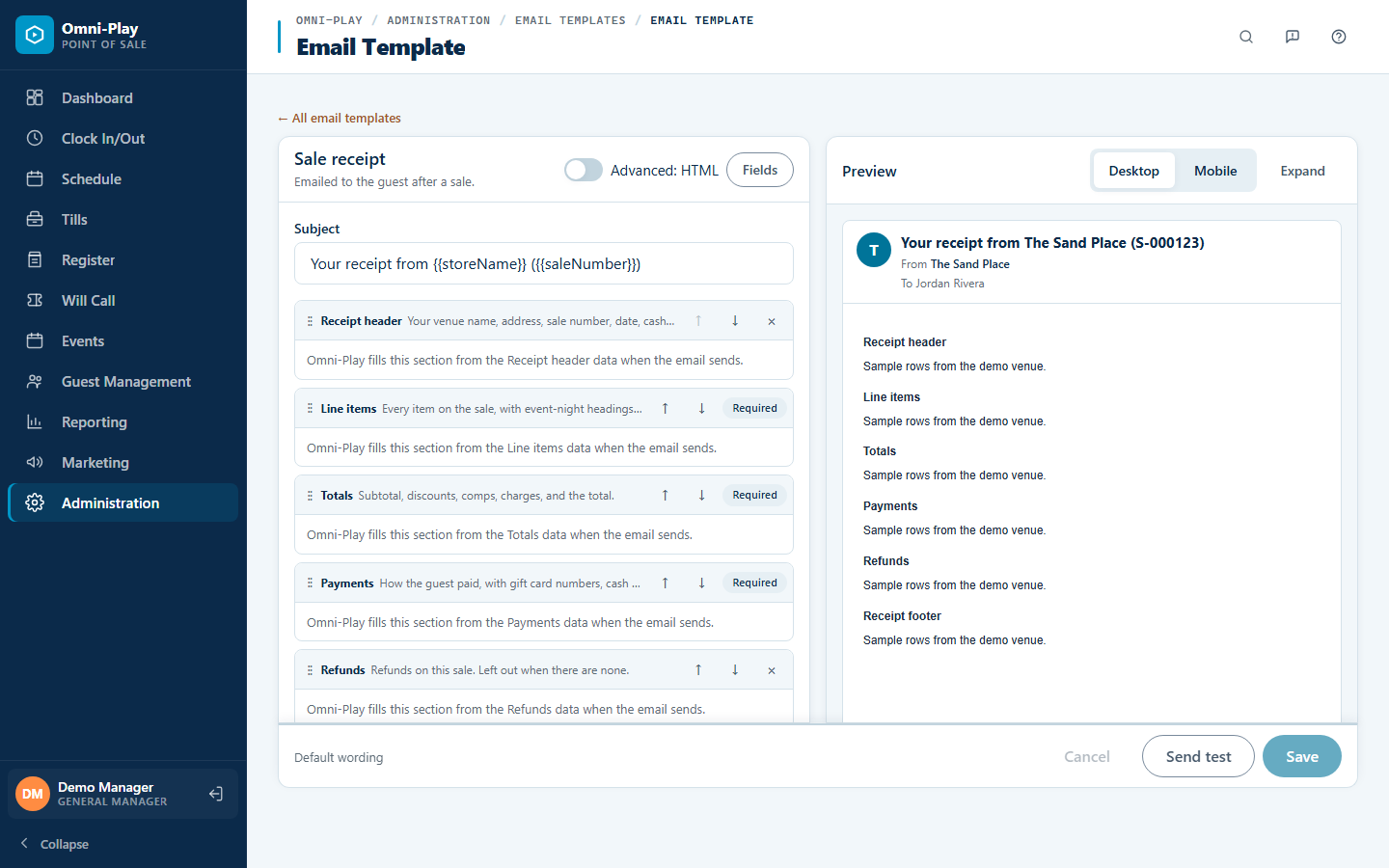
Build every venue email with a visual editor
Edit confirmations, receipts, and other guest emails in a three-panel editor, one section at a time. Add tables, choose rich text or HTML, and send yourself a test filled with real store data before guests see it.
-
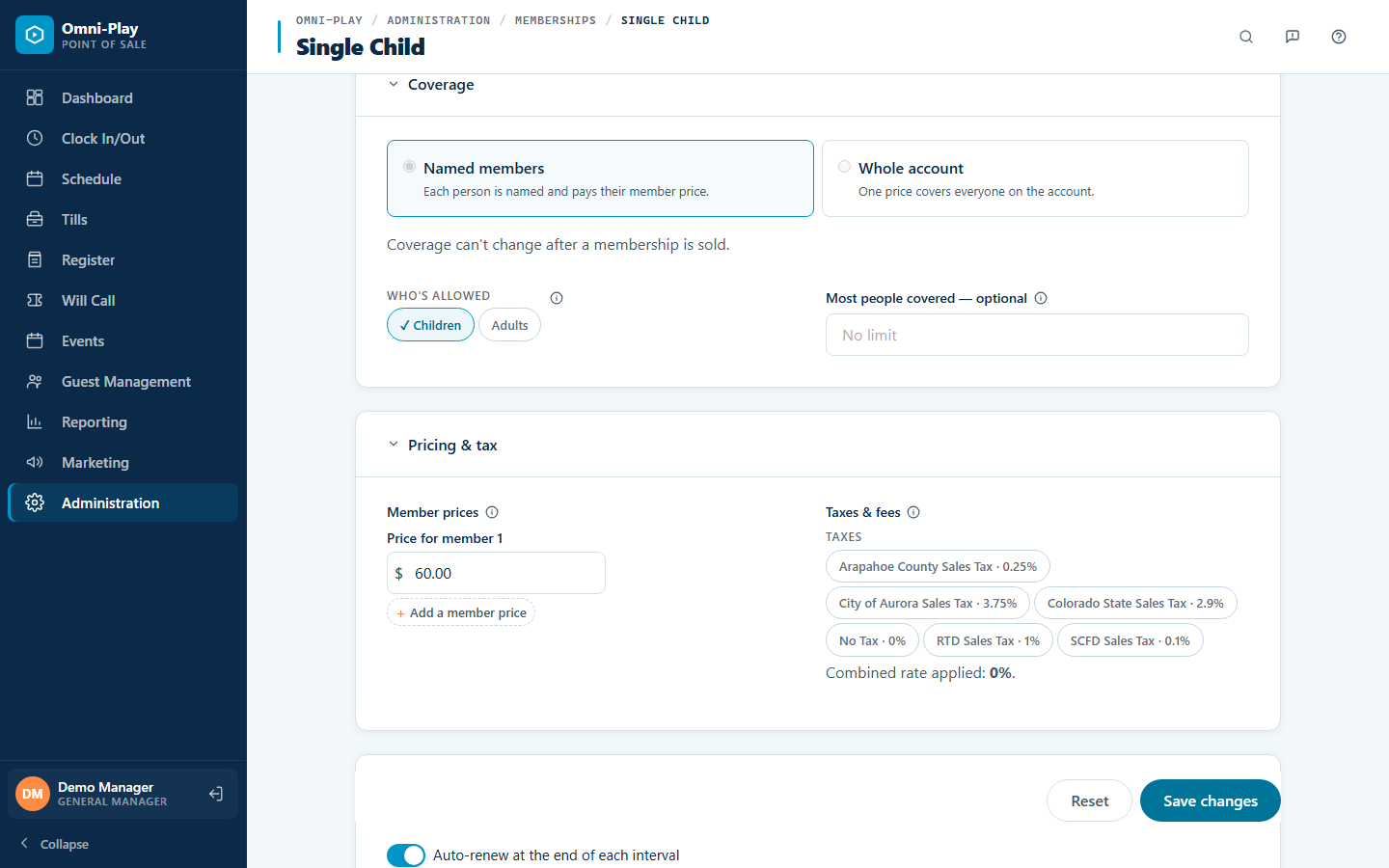
Memberships priced by member, with refunds
Price a membership by the people it covers, with a price for each named member and rules for who can join. Staff can also refund a renewal charge in full or in part, and the reason is recorded.
-
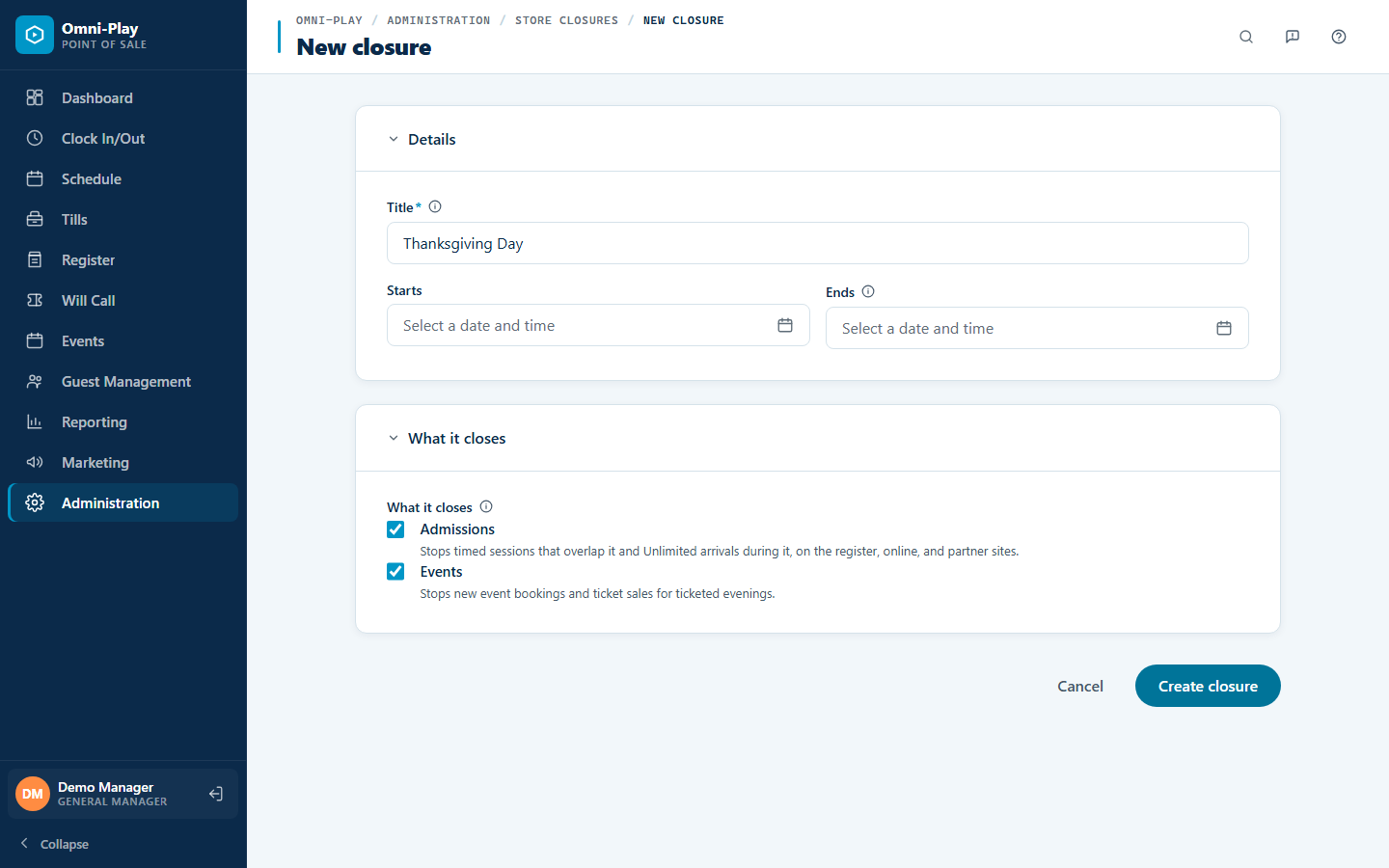
Close the store on a date
Schedule a closure for a holiday, a deep clean, or a private event. Admissions, events, or both stop selling at the register and online for that period, and you see any existing sales to contact before you save.
-
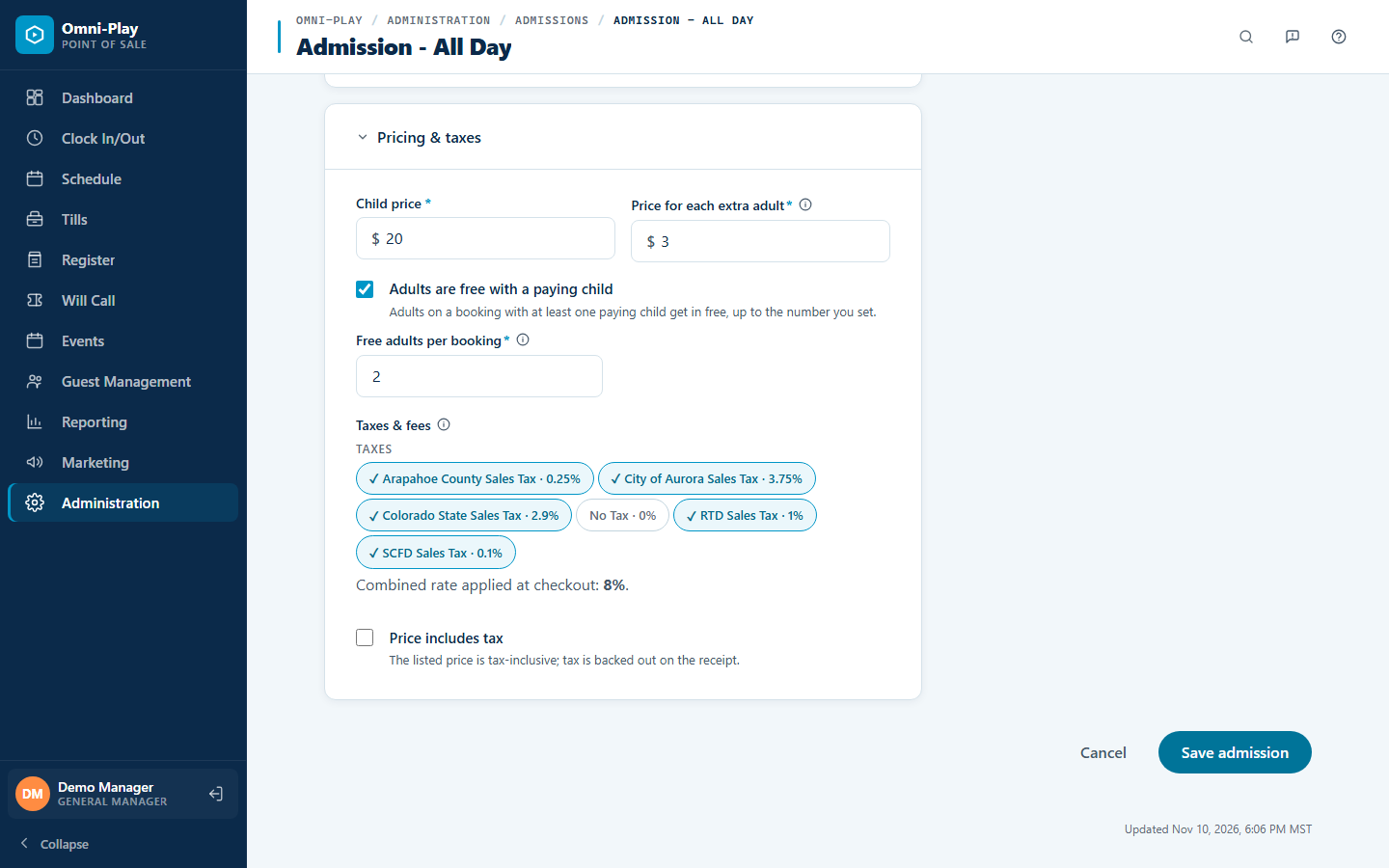
Free adults and free babies with a paying child
Make adults free with a paying child on any admission or event, up to a limit you choose. A second rule makes babies free when another child in the party pays. Cashiers no longer need a manual price override.
-
Unlimited admissions check out at close
Guests with unlimited admission who are still checked in when the store closes are checked out automatically at closing time. Your headcount and reports stay accurate without end-of-day cleanup.
-
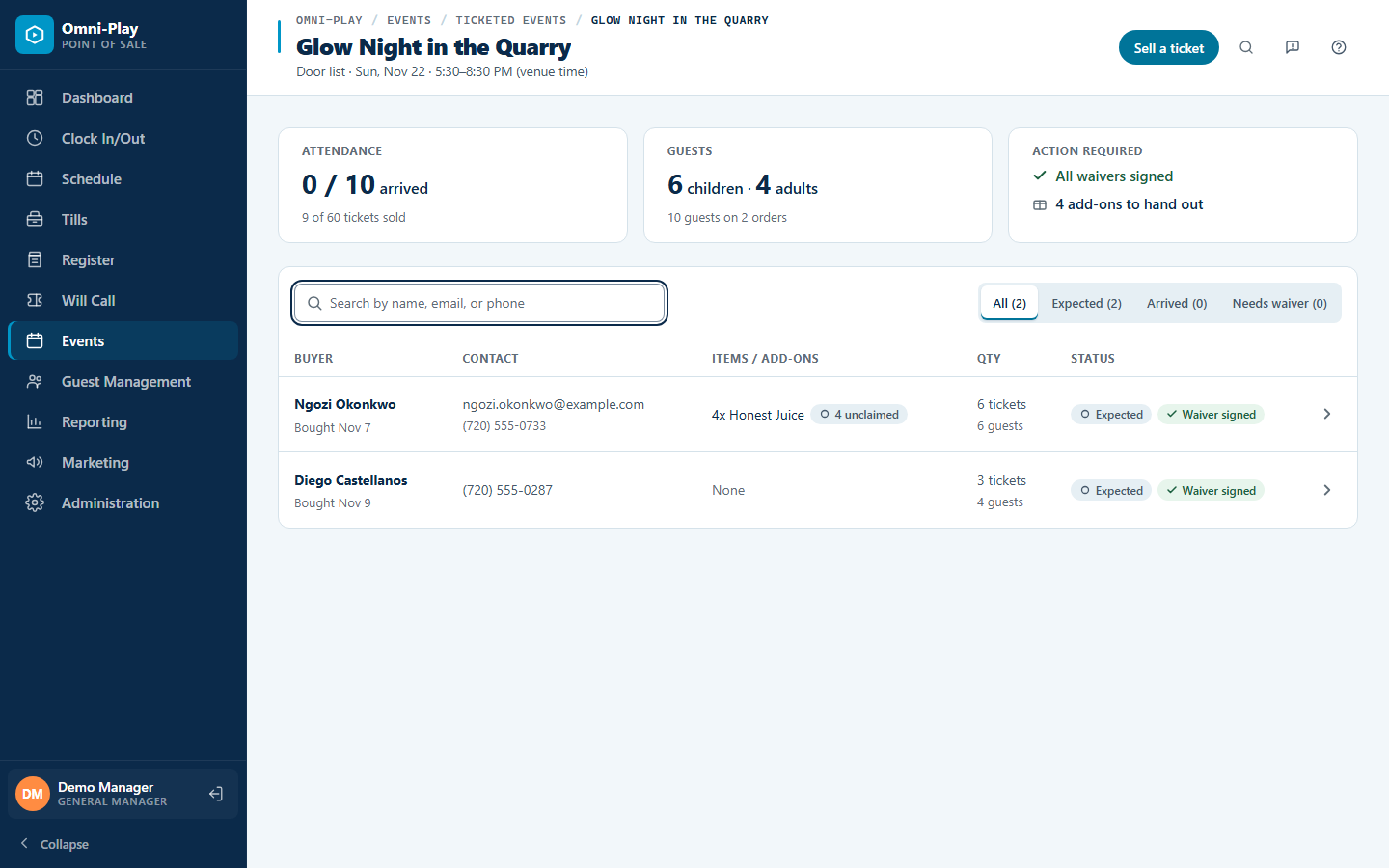
Ticketed evenings, from register to door
Sell tickets and add-ons for special evenings at the register and in your online shop, with separate adult and child prices. A door list shows who has arrived and which add-ons were handed out, and reports show your child and adult split and add-on take rates.


Try the demo
Try it now — then see it run your Saturday.
Test-drive the live demo with sample data, or book a founder demo and we walk your venue’s busiest day, start to close. Five Founding Member spots at $149/month.