Party & event booking
Party booking software built for play venues
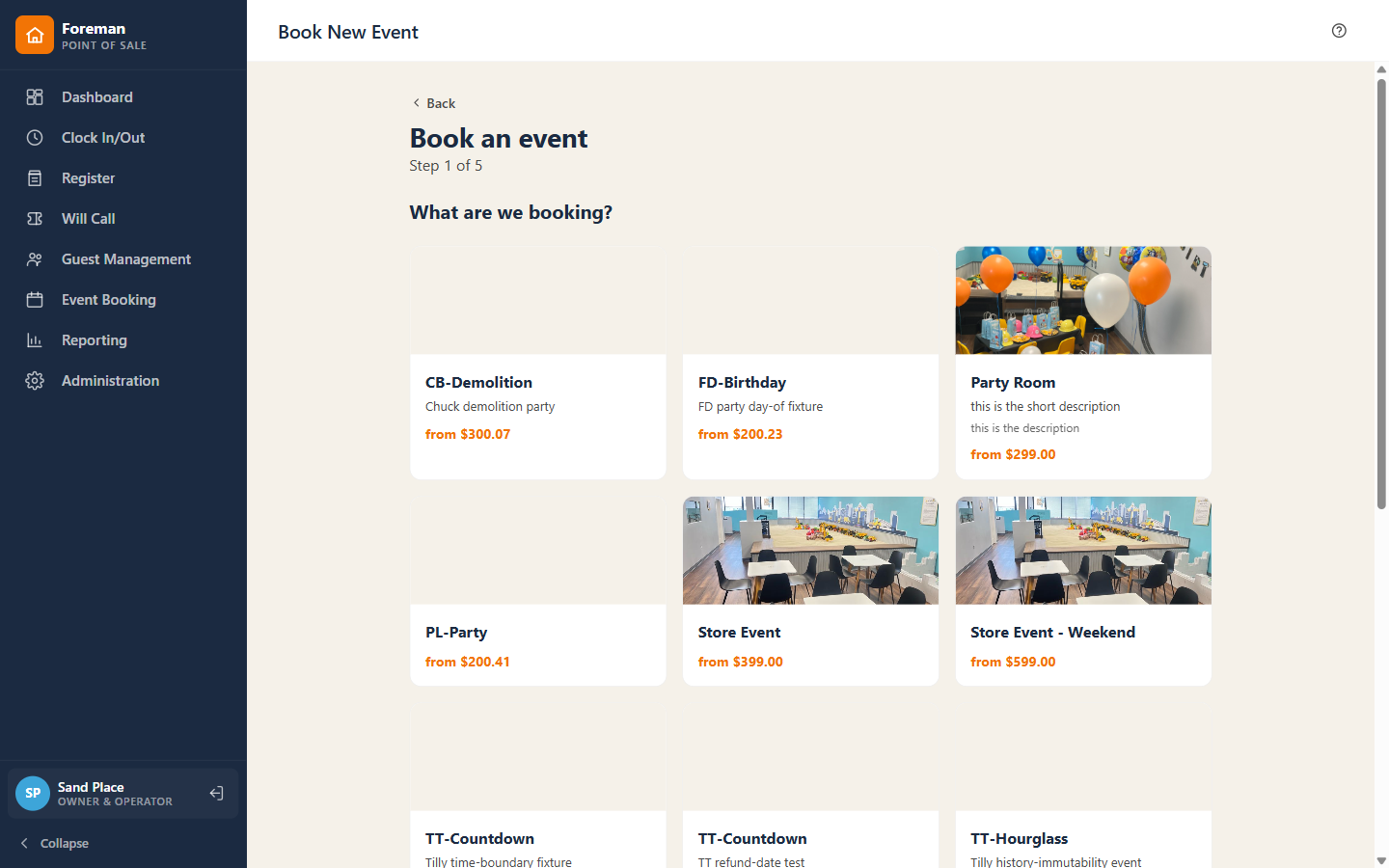
A guided wizard takes a party from event type to deposit — capacity-checked in real time so two parties can never claim the same room.
Included in every plan
The problem
Generic POS systems bolt a clunky booking add-on onto a retail register. Rooms get double-booked, deposits get lost in a spreadsheet, and staff do the add-on math by hand.
How it works
Party & event booking, step by step.
- 01
Pick an event type, date, and time — slots are capacity-checked live, so the room can't be sold twice.
- 02
Attach the booking to a guest profile and set the headcount.
- 03
Add packages and extras — add-on minimums ("at least 10 goody bags", "$50 minimum") are enforced as staff build the order.
- 04
Take the deposit; the balance carries to the day-of ticket automatically.
Why it matters
Slots are locked the instant a deposit is taken — no two parties can hold the same room.
Works with
Better together.
Per-slot capacity caps and timed sessions are native — right-sized for one busy venue, not bolted on.
Learn more →Recurring plans with per-child or whole-household coverage, plus a real guest CRM with a store-credit ledger and duplicate-account merging.
Learn more →Split one sale across cash, card, gift card, and store credit — with change due calculated for you, and a deposit engine that executes your policy on cancel.
Learn more →Book a demo
See it run your front desk — and grow your business.
Book a 20-minute demo and we'll walk your venue's busiest day, start to close.